Face Recognition Guide
Guide to the face detection and person identification features in Home Security Intelligence.
Overview
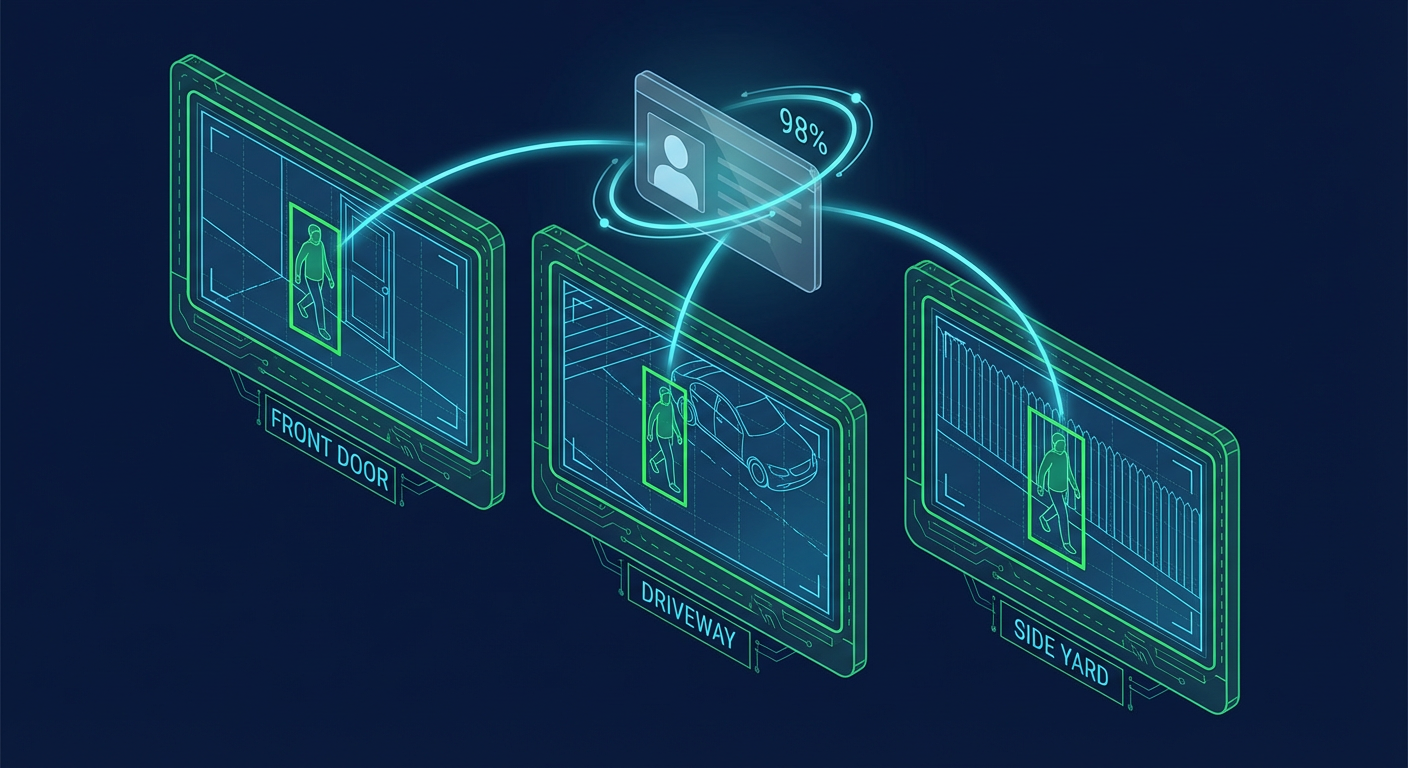
Home Security Intelligence includes face detection capabilities that work alongside person re-identification to track individuals across cameras and match them against household members. This enables features like:
- Household Member Recognition: Identify known family members
- Cross-Camera Tracking: Follow individuals across multiple cameras
- Unknown Person Alerts: Get notified when unfamiliar faces are detected
- Demographics Analysis: Estimate age and gender for identification context
Architecture
Face Detection Pipeline
%%{init: {
  'theme': 'dark',
  'themeVariables': {
    'primaryColor': '#3B82F6',
    'primaryTextColor': '#FFFFFF',
    'primaryBorderColor': '#60A5FA',
    'secondaryColor': '#A855F7',
    'tertiaryColor': '#009688',
    'background': '#121212',
    'mainBkg': '#1a1a2e',
    'lineColor': '#666666'
  }
}}%%
flowchart LR
    subgraph Input["Image Input"]
        CAM[Camera Image]
    end

    subgraph Detection["Object Detection"]
        YOLO26["YOLO26<br/>Person Detection"]
        BBOX["Person Bounding Box<br/>(x, y, width, height)"]
    end

    subgraph FaceDetection["Face Detection<br/>backend/services/face_detector.py"]
        HEAD["Head Region Extraction<br/>Top 40% of bbox"]
        CROP["Crop with 20% Padding"]
        YOLO11["YOLO11-face<br/>Face Detection"]
        FACE["FaceDetection<br/>(bbox, confidence, person_id)"]
    end

    subgraph ReID["Re-Identification<br/>backend/services/reid_service.py"]
        CLIP["CLIP embeddings<br/>ai-gateway /clip"]
        EMB["768-dim Embedding<br/>L2 normalized"]
        STORE["Store in Redis<br/>24h TTL"]
        PG["PostgreSQL<br/>30-day retention"]
    end

    subgraph Matching["Household Matching<br/>backend/services/household_matcher.py"]
        SEARCH["Cosine Similarity Search<br/>threshold >= 0.85"]
        MEMBERS[(Household Members<br/>Stored Embeddings)]
        MATCH{"Match<br/>Found?"}
        KNOWN["Known Member<br/>HouseholdMatch"]
        UNKNOWN["Unknown Person<br/>Entity Record"]
    end

    subgraph Output["Result"]
        ALERT["Alert Generation<br/>Based on trust level"]
    end

    CAM --> YOLO26
    YOLO26 --> BBOX
    BBOX --> HEAD
    HEAD --> CROP
    CROP --> YOLO11
    YOLO11 --> FACE
    FACE --> CLIP
    CLIP --> EMB
    EMB --> STORE
    STORE -.-> PG
    EMB --> SEARCH
    MEMBERS --> SEARCH
    SEARCH --> MATCH
    MATCH -->|Yes| KNOWN
    MATCH -->|No| UNKNOWN
    KNOWN --> ALERT
    UNKNOWN --> ALERT
Pipeline Stages:
- Person Detection: YOLO26 identifies person bounding boxes
- Head Region Extraction: Upper 40% of person bbox extracted
- Face Detection: YOLO11 face model detects faces in head region
- Embedding Generation: the gateway
/cliprouter (SigLIP 2 Base) produces 768-dimensional embeddings - Matching: embeddings compared against the household member database
Models Used
| Model | Purpose | VRAM (MB) | Where it runs |
|---|---|---|---|
| yolo26 | Person detection | 0 (Triton-managed) | ai-gateway /yolo26 |
| yolo11-face | Face detection on crops | 200 | backend model zoo |
| siglip2-base | 768-dim entity embeddings | 200 | ai-gateway /clip |
| osnet-ain-x1-0 | 512-dim person re-ID | 100 | ai-gateway /enrich-lt |
| vit-age-classifier | Age estimation | 200 | ai-gateway /enrichment |
| vit-gender-classifier | Gender estimation | 200 | ai-gateway /enrichment |
VRAM figures are the vram_mb values in models.yml.
Face Detection
How It Works
The face detector operates on person detections:
# Head region extraction
HEAD_REGION_RATIO = 0.4  # Top 40% of person bbox

# For a person at [x, y, width, height]
head_region = [x, y, width, height * 0.4]
Why Head Region?
For a standing person, the face is typically in the top 40% of the bounding box. This reduces false positives and improves detection accuracy.
Face Detection Output
Configuration
These are the parameter defaults on the functions in backend/services/face_detector.py:
| Parameter | Default | Description |
|---|---|---|
head_ratio | 0.4 | Fraction of person bbox for head region |
padding | 0.2 | Padding around head bbox (20%) |
confidence_threshold | 0.3 | Minimum face detection confidence |
Person Re-Identification
Two separate vectors are produced for every person, and they are not interchangeable:
| Vector | Dimension | Produced by | Used for |
|---|---|---|---|
| Entity embedding | 768 | gateway /clip (SigLIP 2) | Cross-camera entity tracking, household matching (reid_service.py) |
| Person re-ID embedding | 512 | gateway /enrich-lt (OSNet-AIN x1.0) | Stored in enrichment_data["person_reid"], read by household_matcher.extract_person_embedding() |
Embedding Storage
backend/services/reid_service.py stores entity embeddings in Redis with a 24-hour TTL (EMBEDDING_TTL_SECONDS = 86400) and mirrors them to PostgreSQL for 30-day retention. backend/services/reid_matcher.py keys its index by an embedding_hash computed from the vector.
Entity embedding properties:
- Dimensionality: 768 values (
EMBEDDING_DIMENSIONinreid_service.py) - Normalization: L2 normalized (unit length)
- Comparison: Cosine similarity
Similarity Matching
Two embeddings are compared using cosine similarity. Because both vectors are L2 normalized, the dot product is the cosine:
similarity = dot(embedding_a, embedding_b)

if similarity >= threshold:
    # Same person
else:
    # Different people
Default thresholds in code: 0.85, set by DEFAULT_SIMILARITY_THRESHOLD in backend/services/reid_service.py and SIMILARITY_THRESHOLD in backend/services/household_matcher.py. Both accept an override at construction time.
Guidelines for tuning:
| Threshold | Use Case |
|---|---|
| 0.6 | Lenient matching (more false positives) |
| 0.85 | Default in code |
| 0.9 | Very strict (may miss matches) |
Demographics Analysis
Age Estimation
POST http://localhost:8090/enrichment/demographics returns age and gender in one response:
{
  "age_range": "21-30",
  "age_confidence": 0.87,
  "gender": "male",
  "gender_confidence": 0.91,
  "inference_time_ms": 22.1
}
Age Ranges: the gateway maps model class indices onto 0-10, 11-20, 21-30, 31-40, 41-50, 51-60, 61-70, 71+ (ai/gateway/adapters/enrichment.py). The DemographicsResults.age_range check constraint in backend/models/enrichment.py additionally accepts 71-80, 81+ and unknown. The label list in the legacy ai/enrichment/models/demographics.py (0-10, 11-20, 21-35, 36-50, 51-65, 65+) is a different vocabulary — that module does not run in the gateway deployment.
Gender Estimation
The same call returns gender as male, female or unknown, with gender_confidence beside it.
Privacy Note: Demographics are used for identification context only and are not stored long-term. They help distinguish between individuals when other identifying features are similar.
Household Member Registration
Adding Household Members
curl -X POST http://localhost:8000/api/household/members \
  -H 'Content-Type: application/json' \
  -d '{
    "name": "John Smith",
    "role": "family",
    "trusted_level": "full",
    "notes": "Lives at the house"
  }'
Field names come from HouseholdMemberCreate in backend/api/schemas/household.py: name, role, trusted_level, typical_schedule and notes. There is no relationship, notify_on_arrival or notify_on_departure field — notification behaviour comes from alert rules, not the member record.
role values (MemberRole in backend/models/household.py): resident, family, service_worker, frequent_visitor.
Response (HouseholdMemberResponse):
{
  "id": 1,
  "name": "John Smith",
  "role": "family",
  "trusted_level": "full",
  "typical_schedule": null,
  "notes": "Lives at the house",
  "created_at": "2026-01-26T10:00:00Z",
  "updated_at": "2026-01-26T10:00:00Z"
}
Adding Member Embeddings
Add a face embedding extracted from an existing event:
curl -X POST http://localhost:8000/api/household/members/1/embeddings \
  -H 'Content-Type: application/json' \
  -d '{ "event_id": 100, "confidence": 0.95 }'
AddEmbeddingRequest takes event_id (required, integer — the event the embedding is extracted from) and confidence (optional, default 1.0, your reliability score for that sample). Bulk enrolment lives on the face recognition router instead: POST /api/known-persons/bulk-enroll.
Best Practices for Embeddings:
- Multiple angles: Add embeddings from different camera angles
- Different lighting: Include day and night conditions
- Various expressions: Include neutral and smiling
- Quality threshold: Only use high-confidence detections
- Minimum count: At least 3-5 embeddings per person
Trust Levels
TrustLevel in backend/models/household.py has three values:
| Level | Behaviour |
|---|---|
full | Never trigger alerts for this person |
partial | Reduced alert severity, still monitored |
monitor | Log activity, do not suppress alerts |
There is no restricted trust level. To flag a person the system should raise on, register them with monitor and write an alert rule that matches them.
Cross-Camera Tracking
Entity Tracking
When a person is detected, the system:
- Generates an embedding for the detection
- Compares against recent embeddings from other cameras
- Links detections if similarity exceeds threshold
- Creates an entity record for tracking
Entity Response (EntitySummary in backend/api/schemas/entities.py):
{
  "id": "entity-uuid",
  "entity_type": "person",
  "first_seen": "2026-01-26T14:00:00Z",
  "last_seen": "2026-01-26T14:15:00Z",
  "appearance_count": 3,
  "cameras_seen": ["front_door", "driveway"],
  "thumbnail_url": "/api/media/thumbnails/abc123.jpg",
  "trust_status": "untrusted"
}
A household match is a separate lookup: GET /api/entities/matches/{detection_id} returns the member matched to a detection, and GET /api/entities/trusted and /api/entities/untrusted filter by trust status.
Entity History
Response (EntityHistoryResponse, whose items are EntityAppearance):
{
  "entity_id": "entity-uuid",
  "entity_type": "person",
  "count": 2,
  "appearances": [
    {
      "detection_id": "12345",
      "camera_id": "front_door",
      "camera_name": "Front Door",
      "timestamp": "2026-01-26T14:00:00Z",
      "thumbnail_url": "/api/media/thumbnails/abc123.jpg",
      "similarity_score": 0.91,
      "attributes": {}
    },
    {
      "detection_id": "12346",
      "camera_id": "driveway",
      "camera_name": "Driveway",
      "timestamp": "2026-01-26T14:05:00Z",
      "thumbnail_url": "/api/media/thumbnails/def456.jpg",
      "similarity_score": 0.88,
      "attributes": {}
    }
  ]
}
API Reference
Household Members
| Endpoint | Method | Description |
|---|---|---|
/api/household/members | GET | List all members |
/api/household/members | POST | Create new member |
/api/household/members/{id} | GET | Get member details |
/api/household/members/{id} | PATCH | Update member |
/api/household/members/{id} | DELETE | Delete member |
/api/household/members/{id}/embeddings | POST | Add embedding |
Household Vehicles
| Endpoint | Method | Description |
|---|---|---|
/api/household/vehicles | GET | List all vehicles |
/api/household/vehicles | POST | Register new vehicle |
/api/household/vehicles/{id} | GET | Get vehicle details |
/api/household/vehicles/{id} | PATCH | Update vehicle |
/api/household/vehicles/{id} | DELETE | Delete vehicle |
Entities
| Endpoint | Method | Description |
|---|---|---|
/api/entities | GET | List tracked entities |
/api/entities/{id} | GET | Get entity details |
/api/entities/{id}/history | GET | Get appearance timeline |
Query Parameters (Entities)
| Parameter | Type | Description |
|---|---|---|
entity_type | String | Filter by 'person' or 'vehicle' |
camera_id | String | Filter by camera |
since | DateTime | Entities seen since timestamp |
limit | Integer | Pagination limit (default: 50) |
offset | Integer | Pagination offset |
Matching Algorithm
Person-to-Member Matching
From HouseholdMatcher.match_person in backend/services/household_matcher.py:
For each detected person:
  1. Take the person embedding
  2. Load every stored member embedding
  3. Cosine-similarity each one against the person embedding
  4. Keep candidates with similarity > threshold
  5. Return the single highest-scoring candidate
  6. If nothing clears the threshold, treat the person as unknown
The loop takes the best single pair; it does not average similarity across a member's embeddings.
Match Confidence
The value reported with a match is the cosine similarity from that comparison — see HouseholdMatch.similarity. No formula combines face confidence, similarity and embedding count.
Alert Integration
How Alerts Fire
There is no dedicated "unknown person" alert type with a fixed severity table. Alerts are rule-driven: backend/services/alert_engine.py creates an alert when an event matches an AlertRule (backend/models/alert.py — conditions are risk threshold, object types, cameras, zones, detection confidence, schedule, and optional dwell time). The rule's own severity field (low / medium / high / critical) is the starting severity.
Trust then adjusts it (SEVERITY_ESCALATION / SEVERITY_REDUCTION in alert_engine.py):
| Entity trust | Effect on severity |
|---|---|
| Untrusted | Escalated by one level (medium becomes high) |
| Trusted | Reduced by one level, or the alert is skipped |
Zone Context
The zone a detection lands in reaches Nemotron as prompt context, not as a severity multiplier: ZONE_RISK_WEIGHTS in backend/services/context_enricher.py labels entry_point high, driveway/yard medium, sidewalk/other low. Those five are the complete set of CameraZoneType values (backend/models/camera_zone.py).
To make unknown-person detections at your front door alert at a chosen severity, create an alert rule matching object_types: ["person"] and that zone, with the severity you want.
Privacy Considerations
Data Retention
| Data Type | Retention | Where it lives |
|---|---|---|
| Events and detections | RETENTION_DAYS=30 | Pruned by backend/services/cleanup_service.py |
| Face detections | 30 days | Stored on detections, so they age out with them |
| Per-detection re-ID vectors | 30 days | reid_embeddings table, FK to detections |
| Demographics results | 30 days | demographics_results table, per detection |
| Redis entity embeddings | 24 hours | EMBEDDING_TTL_SECONDS in reid_service.py |
| Member embeddings | Until deleted | PersonEmbedding rows, removed with the member |
The 30-day figure is RETENTION_DAYS in .env, read as retention_days in backend/core/config.py. Short-term cross-camera linking is the job of track_service.prune_old_tracks(), which prunes by track_retention_hours, not by a seven-day entity policy.
Data Minimization
- Face images are not stored separately
- Embeddings are numerical vectors only
- Demographics are estimates, not identity
- All data can be deleted via member deletion
Local Processing
All face recognition processing happens locally:
- No cloud services
- No third-party APIs
- Data stays on your network
- Full control over retention
Best Practices
For Accurate Recognition
- Quality Images: Ensure cameras have good resolution and lighting
- Multiple Embeddings: Add 5+ embeddings per household member
- Varied Conditions: Include different lighting, angles, expressions
- Regular Updates: Re-add embeddings if appearance changes significantly
- Threshold Tuning: Adjust match threshold based on your needs
For Privacy
- Minimal Registration: Only register necessary household members
- Trust Levels: Use appropriate trust levels for different relationships
- Regular Cleanup: Review and remove outdated member data
- Notification Control: Configure notifications thoughtfully
For Performance
- Embedding Limit: Keep member embedding count reasonable (10-20)
- Model Priority: In the gateway deployment every enrichment model has
priority: mediuminmodels.ymland Triton preloads them, so there is no load-order penalty; the legacy container's HIGH-priority ordering applied only there - Batch Processing: Face detection runs in batches with other enrichment
Troubleshooting
Faces Not Detected
Check:
- Person fully visible in frame
- Face not obscured (hat, mask, angle)
- Sufficient lighting
- Camera resolution adequate
Fix:
- Adjust camera position for better face visibility
- Improve lighting conditions
- Lower confidence threshold (may increase false positives)
Wrong Person Matched
Causes:
- Insufficient embeddings for member
- Similar-looking individuals
- Match threshold too low
Fix:
- Add more diverse embeddings for the member
- Increase match threshold
- Remove problematic embeddings
Known Member Not Recognized
Check:
- Member has sufficient embeddings (5+)
- Embeddings are from varied conditions
- Appearance hasn't changed significantly
- Detection quality is adequate
Fix:
- Add new embeddings from recent detections
- Remove old/poor quality embeddings
- Lower match threshold slightly
Too Many Unknown Alerts
Options:
- Register more household members
- Configure trust levels for regular visitors
- Adjust zone-based alert severity
- Set up quiet hours for specific times
Related Documentation
- Video Analytics Guide - AI pipeline overview
- Zone Configuration Guide - Zone setup
- Entities - Entity tracking UI
- Settings - Household management