Deployment Modes & AI Networking
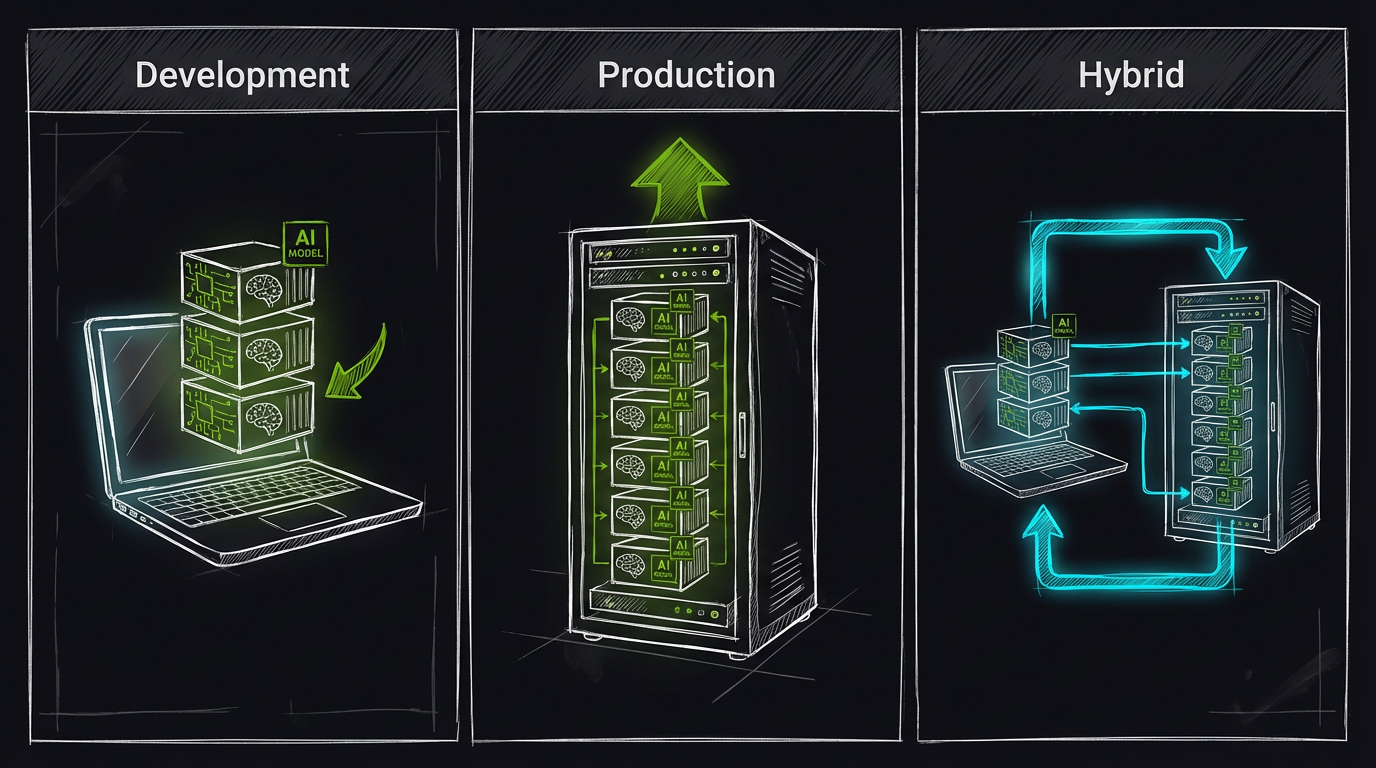
AI-generated visualization comparing Development, Production, and Hybrid deployment modes.
A practical operator guide for choosing a deployment mode and setting
AI_GATEWAY_URL/NEMOTRON_URLcorrectly.
If you're seeing "AI services unreachable" in health checks, it's almost always a networking mode mismatch: the backend is trying to reach the AI services using the wrong hostname.
All vision models (YOLO26, Florence-2, CLIP, enrichment heavy + light) live in one ai-gateway container, so there are only two AI hostnames to get right:
| Setting | Default in docker-compose.prod.yml |
|---|---|
USE_AI_GATEWAY | true |
AI_GATEWAY_URL | http://ai-gateway:8090 |
NEMOTRON_URL | http://ai-llm:8091 |
The per-service URLs (YOLO26_URL, FLORENCE_URL, CLIP_URL, ENRICHMENT_URL, ENRICHMENT_LIGHT_URL) are derived from AI_GATEWAY_URL plus the router prefix (/yolo26, /florence, /clip, /enrichment, /enrich-lt) and the compose file sets them explicitly. Note that they carry a path, not a distinct port — the standalone 8092/8093/8094/8096 ports no longer exist.
Deployment Topology Overview
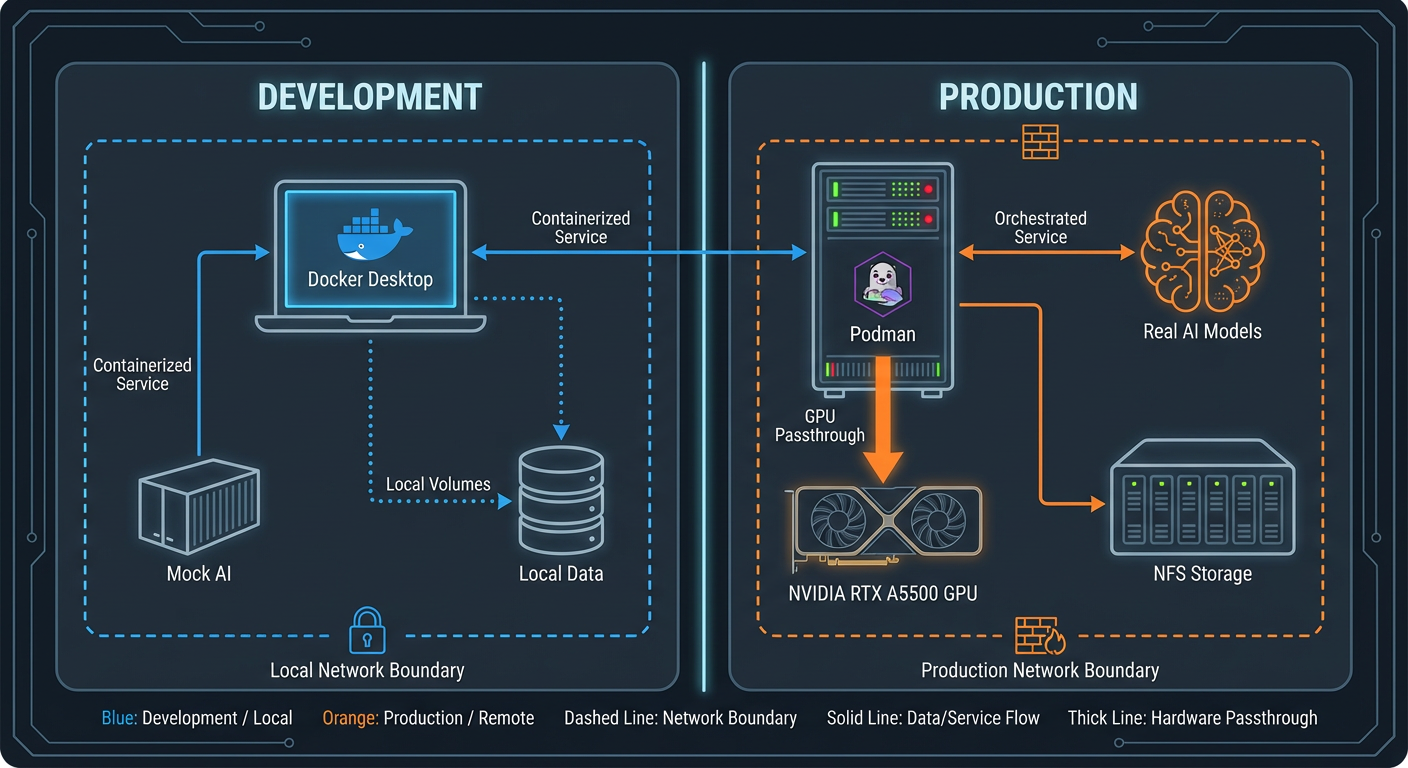
Visual overview of deployment topologies and AI service connectivity options.
Decision Table (pick one)
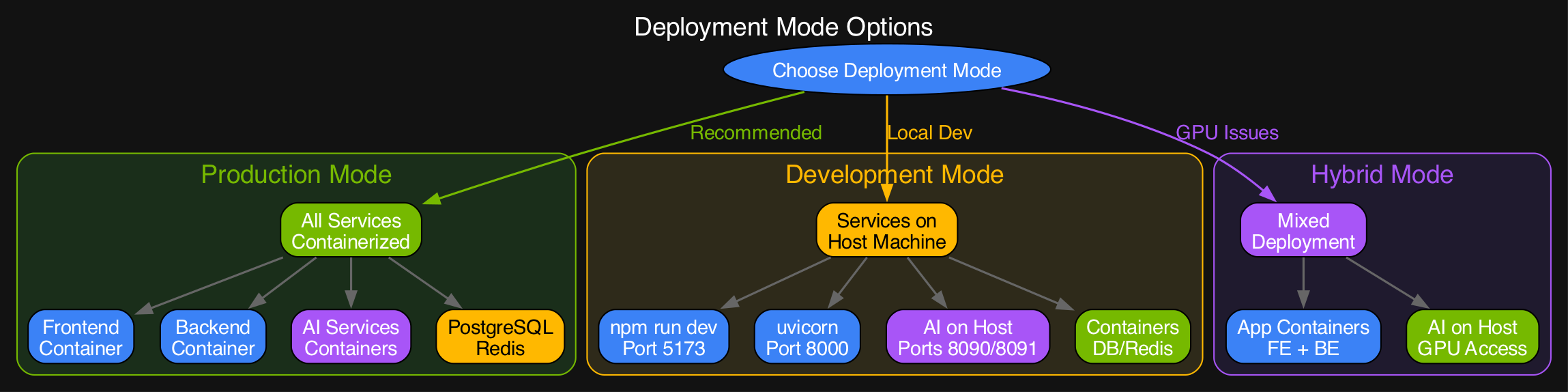
Decision flowchart for choosing between Production (recommended), Development, and Hybrid deployment modes.
| Mode | When to choose | Backend runs | AI runs | What URLs should look like |
|---|---|---|---|---|
| Production (recommended) | You want the simplest "it just runs" setup | Container (docker-compose.prod.yml) | Containers (ai-gateway, ai-llm) | http://ai-gateway:8090, http://ai-llm:8091 |
| All-host development | You're developing locally and want zero container networking complexity | Host (uvicorn) | Host (./ai/start_detector.sh, ./ai/start_llm.sh) | http://localhost:8090, http://localhost:8091 |
| Backend container + host AI | You want hot-reload containers, but AI runs on the host (GPU reasons) | Container | Host | http://host.docker.internal:8090 (Docker Desktop) or http://<host-ip>:8090 (Linux) |
| Remote AI host | AI runs on a separate GPU box | Host or container | Remote host | http://<gpu-host>:8090 etc. |
For authoritative ports/env defaults, see
docs/reference/config/env-reference.md.
Mode 1: Production (docker-compose.prod.yml)
Start
.env (backend → AI via compose DNS)
docker-compose.prod.yml already sets these for you; listed for reference:
USE_AI_GATEWAY=true
AI_GATEWAY_URL=http://ai-gateway:8090
NEMOTRON_URL=http://ai-llm:8091
YOLO26_URL=http://ai-gateway:8090/yolo26
FLORENCE_URL=http://ai-gateway:8090/florence
CLIP_URL=http://ai-gateway:8090/clip
ENRICHMENT_URL=http://ai-gateway:8090/enrichment
ENRICHMENT_LIGHT_URL=http://ai-gateway:8090/enrich-lt
Verify from inside the backend container
podman compose -f docker-compose.prod.yml exec -T backend curl -fsS http://ai-gateway:8090/health
podman compose -f docker-compose.prod.yml exec -T backend curl -fsS http://ai-gateway:8090/yolo26/health
podman compose -f docker-compose.prod.yml exec -T backend curl -fsS http://ai-llm:8091/health
Mode 2: All-host development (no containers for backend/AI)
Start AI (host)
# ai-gateway (Triton) — needs the Triton image; see ai/gateway/Dockerfile
./ai/start_detector.sh

# Nemotron via llama.cpp
./ai/start_llm.sh
Bring up only the infrastructure containers you still need:
Start backend (host)
.env
AI_GATEWAY_URL=http://localhost:8090
NEMOTRON_URL=http://localhost:8091
YOLO26_URL=http://localhost:8090/yolo26
FLORENCE_URL=http://localhost:8090/florence
CLIP_URL=http://localhost:8090/clip
ENRICHMENT_URL=http://localhost:8090/enrichment
ENRICHMENT_LIGHT_URL=http://localhost:8090/enrich-lt
Mode 3: Backend container + host AI
This is the most common "works on my machine" failure mode. The backend is in a container; localhost:8090 points to the container itself, not your host.
Docker Desktop (macOS/Windows)
Podman on macOS
AI_GATEWAY_URL=http://host.containers.internal:8090
NEMOTRON_URL=http://host.containers.internal:8091
Linux (Docker/Podman)
Use your host IP:
export AI_HOST=$(ip route get 1 | awk '{print $7}')
AI_GATEWAY_URL=http://${AI_HOST}:8090
NEMOTRON_URL=http://${AI_HOST}:8091
AI_HOST is a convenience variable for the shell snippet above — no compose file or backend code reads it. Set the resolved value in AI_GATEWAY_URL / NEMOTRON_URL.
Mode 4: Remote AI host (separate GPU machine)
export GPU_HOST=10.0.0.50
AI_GATEWAY_URL=http://${GPU_HOST}:8090
NEMOTRON_URL=http://${GPU_HOST}:8091
Tips:
- Prefer a private LAN/VPN link; don't expose these ports to the public internet.
- The gateway and LLM bind
127.0.0.1on the host by default, so a remote box needs its own reverse proxy or an SSH tunnel — see AI TLS for aligning TLS and hostnames. - If you add TLS/reverse proxying for AI, keep the backend URLs aligned (see
docs/operator/ai-tls.md).
Common Pitfalls
- Using
localhostfrom inside a container: it points to that container, not the host. - Mixing prod + dev assumptions: prod uses compose DNS (
ai-gateway), dev host AI useslocalhost. - Setting
USE_AI_GATEWAY=false: the per-service URLs must then include the router path, or requests 404. Leave ittrueunless you have a specific reason. - Gateway not ready yet:
ai-gatewayhas astart_periodof 180s while Triton loads its models. "Unreachable" in the first three minutes is usually just slow, not misconfigured.